Listen. I need to tell you about the time an accessibility tool made a website inaccessible for me.
May 2024. I’m trying to complete a simple task on a website. Before I can reach any content, an accessibility overlay pops up. Unlabeled buttons. No Tab navigation. No Shift+Tab. No Escape. No way to close it. Nothing.
I’m a blind web developer. I use a screen reader every single day. If I can’t get past this popup, what chance does a regular user with a disability have?
So I did what any stubborn programmer would do: I opened my host file and blacklisted the overlay vendor’s IPs. Listed them right there with the malware domains. Then I moved on with my life 🙂
But that question stayed with me. How many disabled users have the technical knowledge to do what I did? And how many just gave up and left?
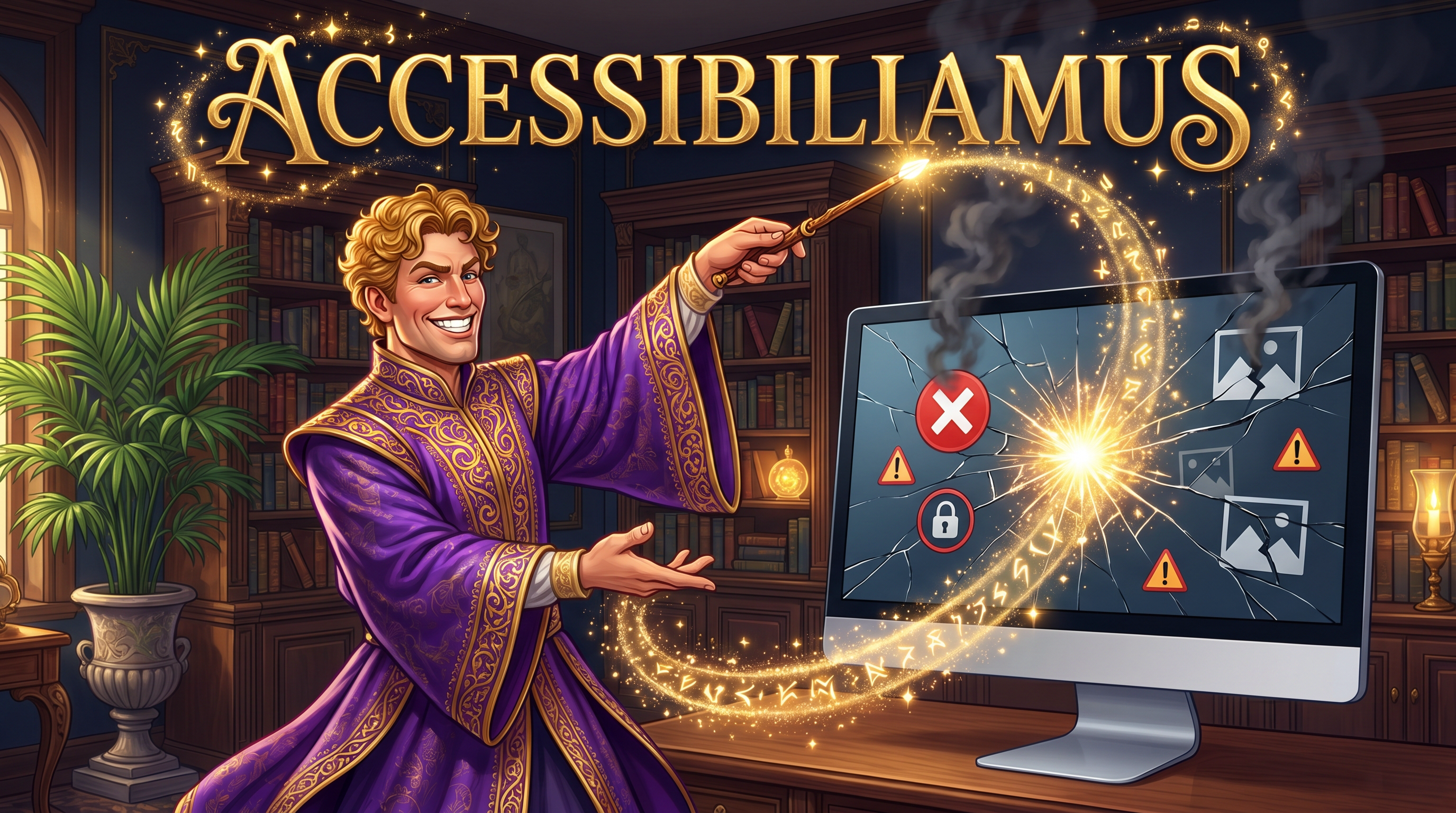
ACCESSIBILIAMUS!
I coined this word on Twitter a while back. A Harry Potter spell you cast on your website and it becomes 100% accessible. Just like that. God willing, with your parents’ prayers and a sprinkle of magic 😂
Except there’s no spell. There’s no single line of code that fixes years of strategic neglect, organizational gaps, and technical debt across an entire organization. And the real question isn’t whether these tools work or not. It’s why so many organizations reach for them in the first place.
To answer that, we need to look at the bigger picture.
The accessibility cycle: where things break down
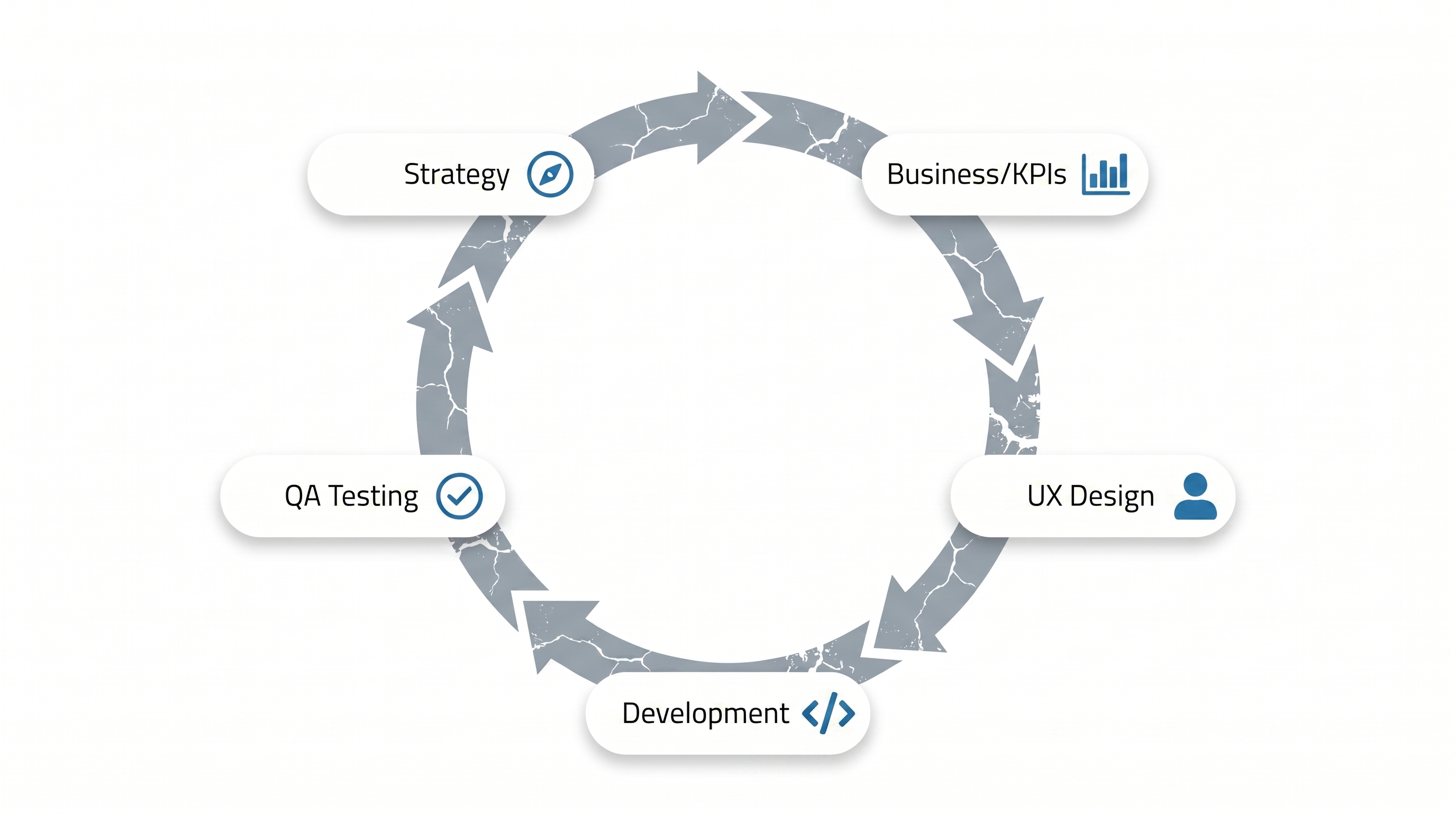
Accessibility is a full cycle of five links: strategic commitment, business KPIs, UX design, development, and QA testing. When you look at each link on its own, you find gaps in more than one place.
Strategic commitment
The cycle starts much further back than most people think. It starts with a question: does your organization genuinely believe its content should be accessible to everyone? This is a deliberate decision that needs to come from the top, because every link in the chain after it depends on it.
And here are questions worth asking honestly: how many users with disabilities do we serve? How many elderly users? Where are the pain points concentrated? Do we have any channel to hear their voices? Have we ever run a single focus group with a disabled user? Many organizations haven’t started answering these questions yet, but that’s something that can change.
Business and KPIs
This brings us to the business side, where one of the most critical gaps lives.
Years ago, when I was freelancing, I worked with a UX team and a dev team on a project we put real care into. It got published on LinkedIn, people praised it. But about a year later, everything started falling apart.
I reached out to the team and asked: what happened?
The answer was honest:
“Accessibility is cool, but it’s not gonna pay my bonus at the end of the year. What’s gonna pay my bonus is my KPIs.”
I don’t blame them. They were doing what they were measured on. But this reveals a real gap: when accessibility isn’t part of the KPIs people are held accountable for, you can’t expect them to prioritize it. What can’t be measured can’t be improved. No exceptions.
Who owns the interactions?
Speaking of accountability, let’s talk about UX teams. This one changed how I see my own work.
At CSUN 2023, I was in a session with a senior accessibility consultant. I told him I write alt text for images, manage dialog and modal interactions, handle tab order, and monitor screen reader navigation behavior.
He stopped me: “Whoa, hold on! This is not your responsibility as an accessibility developer. This is UX’s responsibility.”
That hit me. I’d been carrying an entire team’s workload without realizing it.
The truth is, many UX teams need to build their knowledge in this area: how do assistive technology users interact with the site? What should be a custom action versus a standard button? Where does focus go when a dropdown closes? How is focus managed across the entire page? These are all UX responsibilities because they’re about human behavior and interaction, not code.
As a developer, you can build anything if you have the knowledge. But who’s directing you? It should be the team that understands user pain points and interaction best practices.
And this lesson wasn’t theoretical for me. On one project, inspired by sites like Stripe, I built auto-focus behavior that moved to the next input field when the user finished typing. It worked great for VoiceOver users from my perspective. But it turned out that it kept triggering the keyboard to pop up for sighted users. Combined with a color display bug, one user ended up paying 10,000 SAR instead of 100.
I was back at work at 3 AM fixing it. Nobody else knew what was going on, because I’d been doing an entire team’s job on my own. And that’s exactly what happens when there’s no clear governance over interactions.
Development
On the development side, there’s a similar challenge. One of the worst things to happen in HTML was the div and span elements, which made it easy for developers to build entire sites with non-semantic elements and rely on CSS alone for presentation. And when someone tries to fix it, they often lack the training in accessibility and in ARIA specifically.
Here’s a real example: a news website was putting element IDs in aria-label attributes instead of readable text. Every single link was read by the screen reader as “fallback-hero-image” or “fallback-author-image.” An entire newspaper, completely unreadable. Not because of bad intentions, but because of missing specialized training.
QA Testing
QA teams face a challenge that’s just as critical: most of them don’t have the training to test for accessibility, and don’t know how to use assistive technologies to catch issues. Without a team that can test the product the way a disabled user experiences it, problems slip into production unnoticed.
So when you look at this cycle as a whole, there are gaps in more than one link: in strategic direction, in KPIs, in training, in testing. And for the uninitiated, accessibility itself is a black box. The standards are dense, the field is specialized, and most people don’t know where to start or where it ends. So when all these gaps pile up and the field itself feels impenetrable, it becomes completely understandable why an overlay tool looks appealing. Someone shows up and says “one line of code, and you’re done.”
The promise that didn’t hold up
Accessibility overlays didn’t reach Saudi Arabia until around 2018-2019, but they’d been in the US for years before that. The pitch was always the same: forget about accessibility, plug in our tool, we’ll handle everything.
That promise didn’t survive contact with reality. The FTC fined AccessiBe a million dollars in January 2025 for overstating what their tool could do. A class action lawsuit was filed against them in 2024. And more telling: over eight hundred organizations using these tools were sued, thinking they were compliant.
Then the model came to us. American companies first, then local companies building their own solutions or white-labeling existing ones. Same promise. To be fair, one or two vendors did warn their clients that the tool alone isn’t enough and that fixing the code is essential. But many organizations just want something that makes this whole problem go away.
The clearest way to see how fragile this promise is: imagine someone in cybersecurity telling you “I have a tool that patches all your security vulnerabilities with one click.” Nobody would buy that, because every vulnerability depends on the codebase, the architecture, and usage patterns. Accessibility is no different.
AI won’t fix what it doesn’t understand
With the rise of AI, a new generation of these tools claims to fix even the issues that older overlays couldn’t handle.
Here’s the thing: the biggest problem with AI today is hallucination. And people with disabilities often have no way to verify what AI tells them. When a system describes an image to me, I can’t, as a blind person, verify whether that description is accurate. I’m forced to trust a system that might be wrong.
If these tools actually solved our problems, I’d be the first person to pay for them. Ten thousand riyals a month, gladly. They’d make me completely independent, no need to ask anyone for help. But they don’t. And here’s the question every buyer should ask themselves: if overlays are that powerful, why haven’t disabled users bought them already? Better yet, why haven’t assistive technologies themselves solved all these problems? They’re installed on the operating system with deeper access to the browser’s accessibility APIs than any overlay will ever have.
When the promise is tested
In our work as accessibility auditors, we don’t factor overlay tools into our evaluations. We use assistive technologies directly (NVDA, VoiceOver, and others) and navigate the site exactly the way a disabled user would. That’s what every qualified, professional auditor does.
And a pattern keeps repeating: many organizations believe they’re in excellent shape when it comes to accessibility, and I appreciate that they care enough to think about it. But when manual audits are conducted, whether at the organization’s own request or at the request of regulatory authorities, reality turns out to be very different from what automated tools showed them.
The numbers confirm this. Studies show that automated scanning tools only detect twenty to thirty percent of actual accessibility issues. So overlay tools that rely on what these automated tools detect can only address a fraction of the real problems. Incomplete input, incomplete output.
Worse, these tools often interfere with assistive technologies and degrade the user experience instead of improving it, because they modify the page structure in ways that conflict with how screen readers parse it. The WebAIM Survey of Web Accessibility Practitioners found that seventy-two percent of users with disabilities rated these tools as not effective or not at all effective, and only 2.4% rated them as very effective. Over eight hundred professionals and organizations have signed a public statement documenting these limitations.
If these tools don’t hinder the experience, they certainly don’t help it. And that’s not a failure of the organizations that bought them. It’s a failure of the promise that made them believe everything was fine.
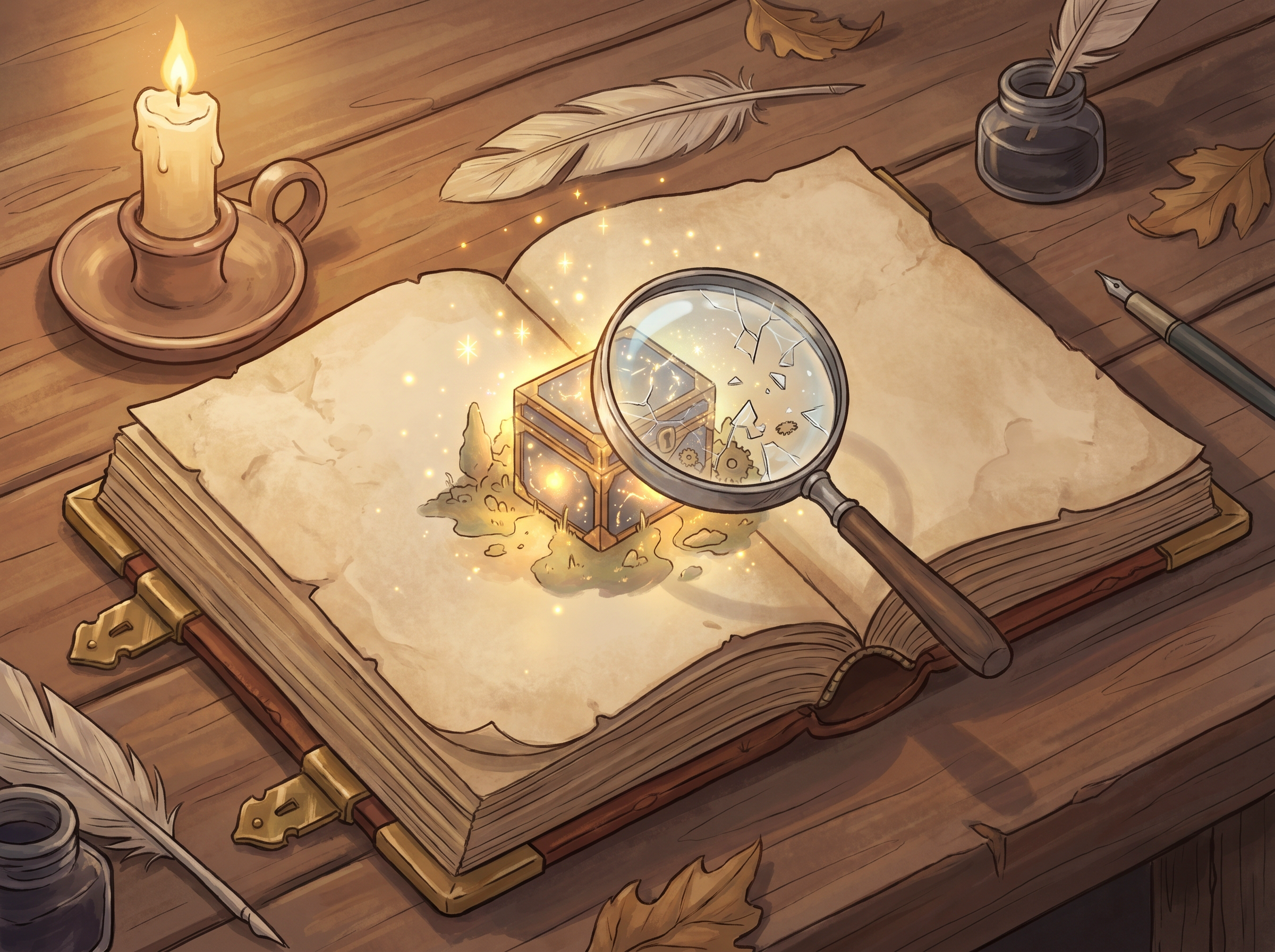
once upon a time, there was an accessibility overlay that promised full compliance for any website regardless of its techStack,
When it was audited, it failed inspection, Because It wasn’t accessible!
The end.
The privacy angle
There’s another dimension that most people miss: privacy.
Some of these tools collect data about user disabilities. They detect assistive technology on the user’s device, may determine the type of disability, and track behavior across sites using the same overlay. A technical analysis found that one overlay spent seventy-five percent of its network activity on behavioral analytics, not on improving accessibility.
This matters because Saudi Arabia’s Personal Data Protection Law (PDPL) explicitly classifies health, genetic, and biometric data as sensitive, and disability data falls under that classification. The law imposes additional restrictions on processing this data, prohibits its use for marketing, and requires strict protective measures. Web standards developers intentionally hid this type of information from websites for good reason: disclosing a disability is the disabled person’s right alone.
Any organization using these tools should make sure their users’ data is protected under the law, and that it isn’t collected or transferred without explicit consent.
What actually works
Alright, enough about the problem. What’s the fix? It starts where it should start: with the cycle itself, link by link.
Strategy
Start with a clear picture. Where are you now? Where are the challenges? Make accessibility part of your culture, not a checkbox on a compliance list. And know who you serve: how many users with disabilities? Where are they? What assistive technologies do they use? Do you have an open channel with them? Have you ever run a single focus group with them? What’s your relationship as an organization with the disability community?
KPIs
Put accessibility into the KPIs your team is measured on. If it doesn’t show up in what people are held accountable for, it won’t get the priority it deserves.
UX Design
Make sure your UX team has clear accessibility guidelines and knows how assistive technology users interact with the product. Has your design system been reviewed by a specialized firm? There are professional companies in Saudi Arabia that do this.
Development
Any non-semantic code should be flagged during code review. The reviewer should ask: why did you choose this element? And how did you make it accessible?
QA Testing
Train your QA team to use assistive technologies so they can catch issues themselves. Without a team that tests the product the way a disabled user experiences it, you can’t trust that what you built actually works.
And most importantly: hire people with disabilities
I say this from experience. On one of the projects I worked on, I was the developer and the accessibility tester at the same time. I’d write the code, then open my screen reader and navigate what I’d built exactly the way any blind user would. We didn’t need any overlay tool, because someone who lives the experience every day catches what no tool can.
And I don’t just mean hiring programmers, though there are brilliant disabled programmers out there. I mean putting them in QA teams to test your product with their own hands. In UX research to judge the quality of what’s been designed. In admin roles to be the user’s voice inside the organization. These people play a dual role nobody else can: they know the problem because they live it, and they know the solution because they work on it.
Statistics from Saudi Arabia’s Authority for the Care of Persons with Disabilities show that employment rates for people with disabilities remain low compared to the general population. That means there are qualified people out there waiting for the opportunity.
More than a number
The question that saddens me most is one I keep hearing from officials when I bring this up: “How many of you are there?”
Even if there was just one person, our humanity calls us to make our services accessible to them. And with the legislative tools the Kingdom has provided through the Rights of Persons with Disabilities Law, and the guidance and support regulatory bodies have offered, we have everything we need to start.
Trust me, if overlay tools actually solved our problems, I’d buy them in a heartbeat. I wouldn’t be asking people to help me book a flight, or a hospital appointment, or a movie ticket.
The ACCESSIBILIAMUS spell won’t work. No tool that promises a fix you don’t have to work for will ever work. What works is deciding that accessibility isn’t a file you close, but the way you build your products from the ground up. And moving this entire conversation from the realm of sympathy and charity to the realm of rights and action.
Accessibility is not a feature. It’s a requirement.
Comments
No comments yet.
Add a comment
Sign in to comment